The Psychology of Momentum: Why Visual Chains Prevent Habit Decay
In the early years of his standup career, Jerry Seinfeld famously utilized a simple wall calendar and a red permanent marker to build his writing habit. His rule was deceptively simple: each day he sat down and wrote jokes, he drew a bold red 'X' over that date. After several days, a visible chain formed. His sole objective each morning was not to write brilliant comedy, but merely: 'Don't break the chain.'
This psychological phenomenon leverages what behavioral economists call the Sunk Cost Effect channeled productively. When a habit is abstract, skipping today feels harmless. But when skipping today means destroying a visible 47-day flame streak that you spent nearly two months building, the emotional cost of procrastination immediately outstrips the fleeting comfort of avoidance.
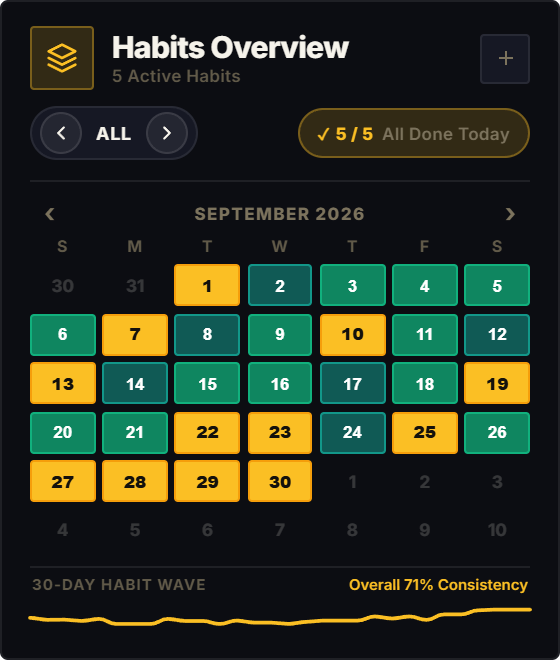
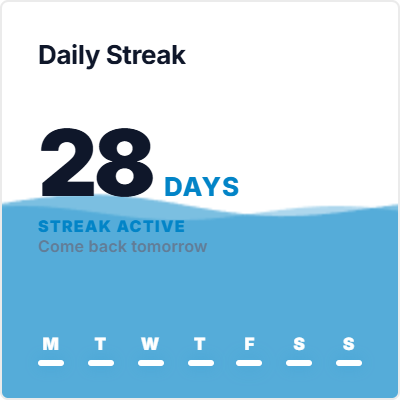
Traditional Notion database setups hide your streaks inside nested property columns, rollup formulas, or archival calendar views where numbers lack visceral visual weight. The Streak Tracker widget brings your chain directly to your dashboard hero: a glowing flame badge, live consecutive day counter, and weekly momentum dots that make consistency impossible to ignore.
The Zero-Day Trap: How to Rebound from Inevitable Streak Disruptions
The single greatest vulnerability of streak-based tracking is a clinical phenomenon known as the 'Abstinence Violation Effect' (AVE). When a user who has maintained a 60-day streak accidentally misses a day due to illness or international travel, the sudden reset to zero often induces an acute sense of total failure. Rather than resuming on day two, over 70% of people abandon the habit entirely.
To build a truly resilient Notion productivity system, you must reframe the streak not as a fragile glass thread, but as an elastic momentum wave. A broken streak does not erase the neural pathways or physical conditioning you constructed over the preceding weeks.
The Streak Tracker widget incorporates a 7-day visual frequency arc alongside your cumulative milestone counter. Even if life forces an unavoidable interruption, your historic momentum remains visibly documented, providing the psychological foundation needed to restart immediately.
4 Actionable Rules to Maintain Long-Term Streaks in Notion
The Keystone Single-Craft Rule
Never apply streak tracking to ten diffuse habits at once. Dedicate your primary Streak Tracker widget to your single non-negotiable Keystone Craft, the one foundational pursuit (such as writing 500 words, coding for 30 minutes, or daily physical training) that generates the highest leverage for your life and career.
The Minimum Viable Repetition (MVR)
Establish an emergency floor for chaotic days. If your streak habit is 45 minutes of reading, define your MVR as a single page. On days when deadlines explode, open the book, read your single page, and tap your streak widget. You preserve the psychological identity of someone who never misses without burning out.
The 48-Hour Recovery Protocol
Adopt the golden rule of resilience: 'Never miss two consecutive days.' While the widget counter restarts upon a miss, maintain a mental secondary ledger: 'Days without consecutive lapses.' Tracking your recovery speed transforms an accidental slip into an immediate challenge rather than a defeat.
Social Accountability Anchoring
Embed your live Streak Tracker widget into a shared team or partner Notion workspace. Knowing that your collaborator, study partner, or manager can glance at your live flame counter creates positive social pressure that keeps your execution sharp when willpower falters.
Architectural Breakdown: Dashboard Streak Widget vs. Database Formula Property
Why pairing a visual streak embed with your Notion habit database creates lasting consistency:
Formula Properties & Rollups
Requires custom property formulas and rollup configuration