The Illusion of Infinite Time: Why Unvisualized Deadlines Slip
Parkinson's Law states that work expands to fill the time available for its completion. When a project deadline lives as a static date property inside a buried Notion database row, your brain interprets the timeline as distant and abstract. You perceive weeks of buffer that in reality do not exist.
Traditional Notion formulas often calculate days remaining as a plain text string (e.g. "42 days left"). While mathematically correct, text strings fail to convey proportion. Forty-two days out of a 45-day sprint is ample runway; forty-two days out of a 365-day annual goal means 88% of your available time has already vanished.
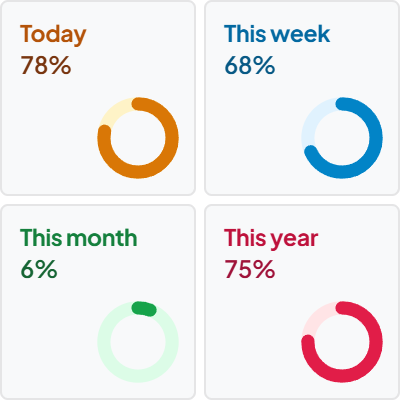
The Goal & Event Time Tracker transforms abstract numbers into physical, visual progress rings and dot matrix grids. By rendering the exact ratio between elapsed runway and remaining time, it introduces healthy psychological urgency without anxiety, turning nebulous deadlines into tangible daily focus.
The Goal Gradient Effect: Why Visual Runways Accelerate Output
First identified by psychologist Clark Hull, the Goal Gradient Effect demonstrates that humans naturally increase their effort and speed as they draw closer to an objective. A marathon runner sprints faster in the final 400 meters; a software engineer ships features more rapidly during the final days of a launch sprint.
By embedding a visual progress ring directly at the head of your Notion workspace, you keep the finish line constantly in your peripheral vision. Every time you open Notion, the visual arc reminds you of how close you are to completing the milestone.
A single click on any tracker card toggles between Percentage Completed (giving your brain the momentum signal of progress achieved) and Remaining Time (grounding your daily priority planning in strict reality).
4 Frameworks for Managing Milestones in Notion
Sprint Horizon Segmentation (30-60-90 Days)
Annual goals are too broad to sustain intense daily focus. Break multi-quarter initiatives into distinct 30, 60, and 90-day execution blocks. Configure Tracker 1 as your active 30-day delivery sprint, and Tracker 2 as the overarching quarterly milestone.
Runway Deficit Detection
Compare your time percentage against your deliverable completion percentage. If 60% of your time runway has elapsed but only 30% of your roadmap tasks are done, you have a critical 30% runway deficit. Spotting this early lets you de-scope features before delivery fails.
Dual-Horizon Accountability
Pair one professional milestone (e.g. Q4 Product Launch) with one personal anchor (e.g. Half-Marathon or Exam Date). Balancing professional output with personal wellness prevents burnout across long quarters.
The Lead-Time Buffer Rule
Always set your widget target date 3 to 5 business days ahead of the external deadline. Use this final buffer window exclusively for quality assurance, client reviews, and unexpected deployment hurdles.
Architectural Breakdown: Visual Tracker vs. Notion Date Formula
Why high-velocity teams and solo creators embed visual time trackers rather than relying on standard database formulas:
Formula Properties & Rollups
Requires custom property formulas and rollup configuration