The Attention Fragmentation Epidemic: Why Multitasking Destroys Output
In modern knowledge work, true deep focus has become extraordinarily rare. Landmark workplace research conducted by Dr. Gloria Mark at the University of California, Irvine revealed that office workers are interrupted or switch tasks every three minutes and five seconds on average. Even more alarmingly, it takes an average of 23 minutes and 15 seconds to regain deep focus after a single distraction.
When you bounce between Notion task databases, email notifications, and browser tabs, your brain suffers from what psychologist Sophie Leroy terms 'Attention Residue.' Every time you switch tasks, a fragment of your cognitive capacity remains stuck on the previous thought, leaving you mentally depleted long before your workday concludes.
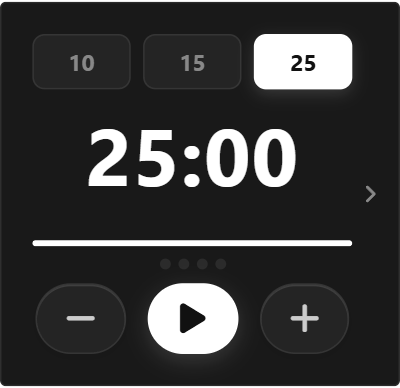
The Classic Pomodoro Timer widget acts as an impenetrable cognitive fortress. By committing to a single 25-minute sprint, you enter an explicit psychological contract with yourself: for the next 1,500 seconds, the rest of the world ceases to exist. The visual countdown anchored on your Notion page acts as a constant beacon guiding your focus back to the task at hand.
The Neurochemistry of the 5-Minute Break: Restoring Dopamine & Focus
Many high-achieving professionals resist taking breaks, mistakenly believing that working continuously for four hours straight produces superior output. Neuroscience demonstrates the exact opposite. Sustained cognitive concentration consumes glucose and depletes critical neurotransmitters, namely dopamine and acetylcholine, in the prefrontal cortex.
When Francesco Cirillo developed the Pomodoro Technique in the late 1980s using a tomato-shaped kitchen timer, his core insight was not merely the work interval, but the mandatory 5-minute physical pause. During this interval, your default mode network (DMN) activates, consolidating newly acquired information and priming synaptic receptors for the next sprint.
To maximize the benefits of the 5-minute break, practice true passive recovery: stand up, hydrate, stretch, or gaze out the window. Checking social media or reading news during your break does not rest your visual cortex; it simply introduces fresh attention residue that degrades your subsequent focus block.
4 Actionable Protocols for Deep Work in Notion
The Single-Task Commitment Rule
Before clicking start on your Pomodoro timer, write down the exact title of your single target task in your Notion dashboard. If an unrelated thought or urgent impulse strikes during the 25 minutes, jot it down in a 'Distraction Inbox' toggle and immediately return to your primary task.
The 4-Block Ultradian Cycle
Human cognitive performance follows 90-minute ultradian rhythm cycles. Execute two consecutive 25-minute Pomodoro sprints (with a 5-minute break in between), followed by an extended 20-minute restorative break. Two complete ultradian cycles per day represent four hours of elite, uninterrupted deep work.
Task Granularity Slicing
If a task in your Notion database feels overwhelming, it is too large. Break it down until it can be completed within 1 to 4 Pomodoro cycles. If a project requires more than 4 blocks, slice it into smaller modular deliverables before initiating your timer.
The End-of-Day Retro Tally
Use the timer's completed session counter to measure your daily output. Instead of measuring productivity by hours spent sitting at your desk, measure it by clean, completed Pomodoro blocks. Four high-quality blocks consistently produce more value than eight hours of distracted browsing.
Architectural Breakdown: Embedded Focus Timer vs. External Stopwatch Apps
Why embedding a visual Pomodoro timer directly inside Notion outperforms standalone phone apps and browser tabs:
Third-Party Apps & Tabs
Context switching, external logins, and notifications