The Cognitive Cost of Over-Designed Productivity Tools
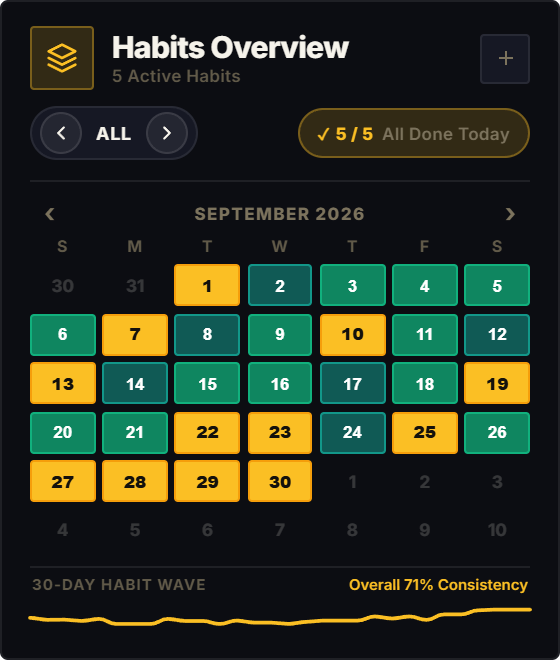
In the relentless pursuit of visual polish, modern software has become remarkably over-engineered. Vibrant glassmorphic gradients, pulsating notification badges, and complex multi-color interfaces compete aggressively for your optic nerve's bandwidth. What was intended as a productivity dashboard frequently transforms into an ambient sensory overload engine.
In human visual processing, motion and bright saturated hues in your peripheral field constantly trigger the 'Orienting Reflex', a primal evolutionary survival mechanism that automatically jerks subconscious attention away from abstract thought to investigate visual movement. Every time an overly animated widget flickers on your second monitor or sidebar, deep focus fractures.
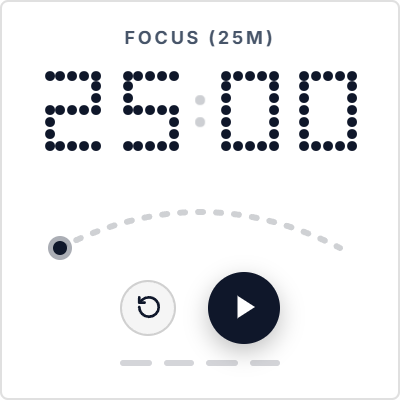
The Dot Matrix Pomodoro widget draws direct inspiration from industrial design philosophies pioneered by Dieter Rams and modernized by Nothing-Tech. By reducing numeric typography to stark, high-contrast dot-matrix LED glyphs, it communicates the essential dimension of time with absolute zero visual clutter.
Peripheral Time Perception: Knowing the Time Without Looking
When deeply immersed in writing, architectural drafting, or complex programming, directly glancing at a ticking stopwatch interrupts your cognitive flow state. You break your internal line of reasoning simply to read digits.
Dot-matrix LED typography solves this through Peripheral Readability. The distinct spatial footprint of dot glyphs and low-luminance LED matrix grids allows the human brain to perceive elapsed time through peripheral vision alone. You register whether you are near the beginning, middle, or end of a focus sprint without shifting your focal gaze away from your code or manuscript.
Furthermore, the tactile aesthetic of industrial hardware transforms your digital Notion workspace. It strips away the clinical feel of enterprise software, turning your dashboard into a purposeful, retro-futuristic engineering terminal.
4 Minimalist Focus Frameworks for Notion
The Ambient Peripheral Placement
Position the Dot Matrix timer in the far outer column of your Notion layout. Do not look directly at it during your sprint. Let the stark monochrome LED pattern hover gently in your peripheral awareness to anchor temporal focus without breaking reading flow.
The Industrial Monotask Protocol
Pair the Dot Matrix widget with Notion's full-screen writing view (Ctrl/Cmd + Shift + \ to hide sidebars). The combination of stark, distraction-free markdown and raw LED time-boxing creates an elite environment for drafting essays and complex documentation.
Late-Night Eye Strain Reduction
When working in low-light environments, traditional bright white widgets cause severe ocular fatigue. Set your Dot Matrix widget to Obsidian Noir with soft amber or muted white LEDs to protect circadian rhythms during late-night study sessions.
The 50/10 Architecture Sprint
Use extended 50-minute dot-matrix focus blocks for deep engineering, systems architecture, or complex financial modeling where 25 minutes is too brief to achieve flow state.
Architectural Breakdown: Dot-Matrix LED vs. Standard Digital Timers
Why industrial dot-matrix design delivers superior focus for engineers, architects, and minimalist writers:
Database Tables & Records
Best for deep historical storage, relations, and structured records