The Friction of Context-Switching: Why Weather Belongs in Your Workspace
Knowledge workers spend their working days immersed in Notion databases, project roadmaps, and personal journals. Yet, when preparing for daily transit, outdoor exercise, client meetings, or energy management, the default reaction is to unlock a smartphone or open a cluttered browser tab overloaded with radar maps, video advertisements, and clickbait headlines.
This micro-disruption shatters deep work momentum. Cognitive research shows that context-switching between productivity tools and noisy external media imposes an attention residue that takes minutes to recover from.
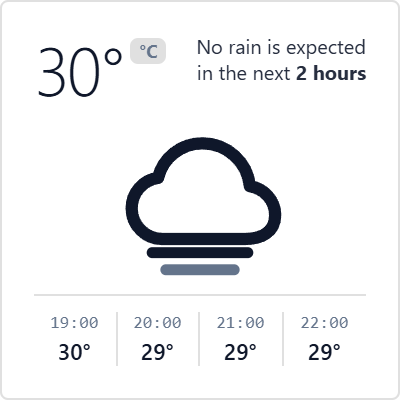
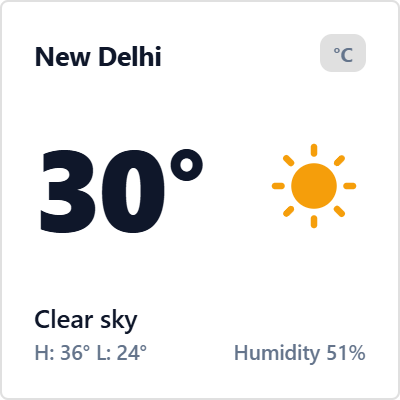
Embedding an ambient, glanceable weather telemetry card directly into your Notion morning dashboard eliminates this friction entirely. You absorb current temperature, sky conditions, and humidity in a fraction of a second, enabling seamless mental preparation without ever leaving your workflow canvas.
Swiss Typographic Clarity: Designed Exclusively for Notion Layouts
The Minimal Weather Card is built upon the timeless tenets of Swiss International Typographic Style: pure visual hierarchy, mathematical alignment, and the deliberate omission of decorative clutter. Encased in a compact 200px square frame, it fits harmoniously into narrow Notion sidebars, multi-column dashboard headers, or personal wiki docks.
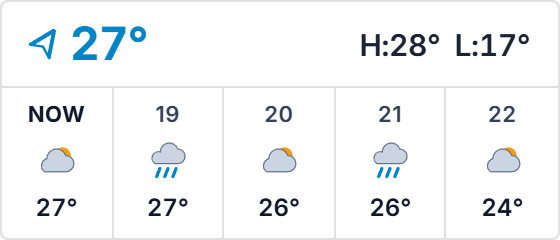
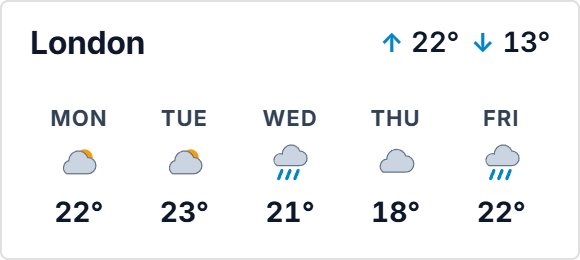
A single tap on the temperature badge toggles instantly between Celsius and Fahrenheit, while a secondary toggle transitions the view from immediate real-time metrics to a clean 3-day forecasting outlook. Powered by responsive vector scaling, the card automatically adjusts its proportions to Notion container widths without ever producing ugly scrollbars or cropped numerals.
Combined with platform standard 1px borders and zero outer drop shadows, it blends into Notion light and dark canvas backgrounds as if natively engineered by the Notion core team.
Four Proven Meteorological Planning Protocols
The Morning Dashboard Calibration
Anchor the Minimal Weather Card at the top-left corner of your daily Notion planner. Before opening task lists or email inboxes, glance at the ambient conditions to inform your hydration targets, attire, and scheduled transit windows without opening phone apps.
3-Day Horizon Task Allocation
Toggle to the 3-day forecast outlook every Sunday evening and Wednesday afternoon. Identify impending rainfall or cold fronts and strategically reschedule outdoor meetings, running sessions, or errands into dry, high-comfort weather windows.
Compact Sidebar Multi-Column Pairing
Use Notion's column system to dock the 200px weather card alongside your daily habit tracker and digital clock. This establishes a unified three-widget telemetry header that provides instant situational awareness while leaving ample room for project notes.
Notion Theme Parity Alignment
Select Notion Dark for evening study sessions or Notion Light for bright morning planning. The widget automatically inherits your workspace contrast preferences, protecting your eyes from harsh bright flashes during late-night deep work sessions.
Architectural Breakdown: Dashboard Weather Embed vs. Raw Database View
Database Tables & Records
Best for deep historical storage, relations, and structured records