The Macro Weather Fallacy: Why Daily Highs Mislead Busy Schedules
Standard weather reports provide a generalized daily forecast: 'Partly cloudy, high of 22°C, 40% chance of rain.' While sufficient for weekend casual wear, this macro overview is deceptive for granular daily execution. That 40% precipitation probability might concentrate entirely between 2:00 PM and 4:00 PM during your scheduled outdoor commute, while the morning remains crisp and sunny.
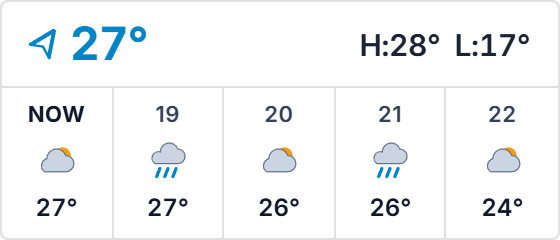
When professionals schedule their time in hour-by-hour Notion blocks, relying on daily weather summaries leads to wet commutes, canceled outdoor calls, and disrupted workout sessions. The Hourly Weather Strip solves this asymmetry by providing a continuous 5-hour micro-chronology directly inside your workspace, revealing the exact curve of temperature shifts and precipitation probabilities as your day unfolds.
Horizontal Ribbon Ergonomics: Sits Flush Above Daily Timelines
Most weather widgets are designed as bulky vertical boxes that monopolize critical vertical reading space. In contrast, the Hourly Weather Strip adopts a sleek, horizontal ribbon architecture specifically tailored for Notion timeline databases, daily kanban columns, and agenda dashboards.
Spanning a balanced horizontal aspect ratio, it displays five consecutive hourly segments featuring minimalist weather condition icons, exact hourly temperatures, and subtle precipitation indicators. The horizontal flow visually echoes time's progression from left to right, creating natural cognitive harmony with daily scheduling blocks positioned below it.
Four Intraday Weather Planning Protocols
The 5-Hour Focus Window Alignment
Embed the strip directly above your active today time-blocking board. Match demanding deep-work sessions with impending cold or rainy windows, saving high-energy outdoor walks and physical errands for sunny, comfortable hourly intervals.
Pre-Commute Precipitation Verification
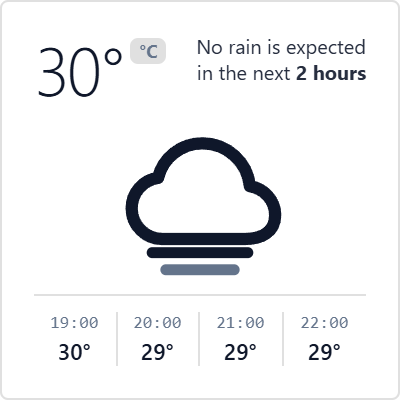
Before wrapping up afternoon tasks, review the upcoming 2-hour strip segments. Anticipate rain onset 60 minutes in advance, enabling you to depart slightly early or adjust transportation modes without scrambling.
Widescreen Dashboard Horizon Docking
Position the strip across the full width of your Notion workspace header directly beneath your daily greeting. This creates an elegant, panoramic weather telemetry ribbon that anchors your entire morning planning routine.
Distraction-Free Visual Hygiene
Configure the widget with sharp 4px corners and an Obsidian Noir or Notion Dark theme. The understated typography and monochrome icons ensure atmospheric awareness without drawing attention away from your active writing or coding tasks.
Architectural Breakdown: Dashboard Weather Embed vs. Raw Database View
Database Tables & Records
Best for deep historical storage, relations, and structured records