The GA4 Complexity Crisis: Escaping Enterprise Dashboard Overwhelm
Google Analytics 4 is an enterprise analytics suite engineered for specialized data science teams. For founders, creators, and indie hackers, opening GA4 requires navigating labyrinthine exploration tables, multi-second loading lags, and obscure dimension filters.
During the workday, all you often want to verify is simple: Is our website alive? Did that newsletter or tweet bring visitors? How many people are reading our docs right now?
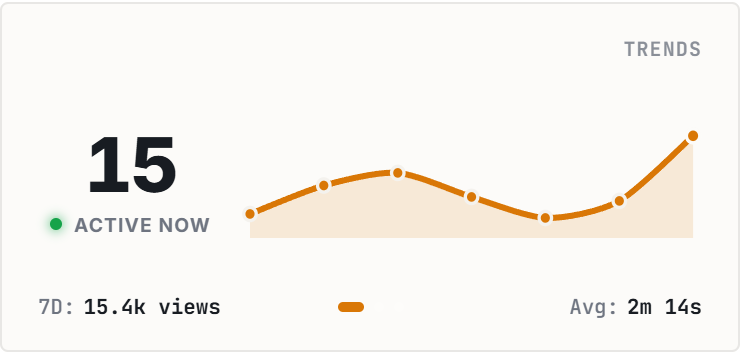
The Google Analytics Live Card distills GA4 down to its most vital vital sign: real-time active visitors and a 30-minute velocity sparkline embedded right inside your Notion project hub.
Launch Day Telemetry: Real-Time Feedback During Product Drops
On product launch days (Product Hunt releases, Hacker News spikes, newsletter drops), watching active visitors rise provides instantaneous psychological validation of marketing efforts.
You can monitor live traffic surges directly alongside your customer feedback database and bug reporting board on a single unified Notion canvas.
Zero heavy tracking scripts or cookies inside Notion: telemetry is streamed securely through lightweight read-only serverless worker requests.
4 Traffic Monitoring Frameworks for Notion
The Launch War Room Centerpiece
Anchor at the top of your Product Hunt or feature release dashboard for instant team morale during marketing spikes.
The Content Performance Rail
Position alongside published blog post databases to see real-time readership when new tutorials and newsletters go live.
The Founder Daily OS Headline
Embed in your primary morning command center for a 5-second health check before diving into deep product engineering.
The Low-Anxiety Glance Rule
Rely on the ambient 30-minute sparkline rather than obsessing over complex GA4 conversion funnels during deep work hours.
Architectural Breakdown: Live GA4 Card vs. Logging into Google Analytics
Why ambient live telemetry cards provide greater peace of mind than native enterprise consoles:
Third-Party Apps & Tabs
Context switching, external logins, and notifications